For Dutch students and students from the EU/EEA only
You can apply for student finance yourself online via www.duo.nl. If you are enrolled in a bachelor, associate degree of master programme, you will be eligible for student finance if you have not turned 18 yet. You will also receive a public transportation card.
Applying for student finance
You can apply for student finance via www.duo.nl – Mijn DUO. Make sure to do so at least two months before the start of your programme. Before you can apply for student finance, you will need a DigiD. Request a DigiD and use the DigiD app. After submitting your request, you will receive a letter with login details within five working days.
PLEASE NOTE: If you have not yet received your (Dutch) bachelor’s degree from a university of applied sciences, you cannot yet apply for student finance for your master’s degree. You can only do so once your degree has been registered with DUO.Tuition fee loan
In addition to the “standard” loan, you can also apply for a loan from DUO with which to pay your tuition fee. This loan is part of the student finance and is known as a tuition fee loan. Like the rest of the student finance, the tuition fee loan is paid out every month. After your study, you pay back the amount you loaned (with interest) under the same excellent conditions as the other loans DUO offers.
Log in to Mijn DUO to apply for the (increased) tuition fee loan. There, you can apply for student finance for the first time or request to be eligible for a tuition fee loan. You can also indicate that you want to be eligible for a increased tuition fee loan (institutional tuition fee).
Applying for student finance: step-by-step explanation
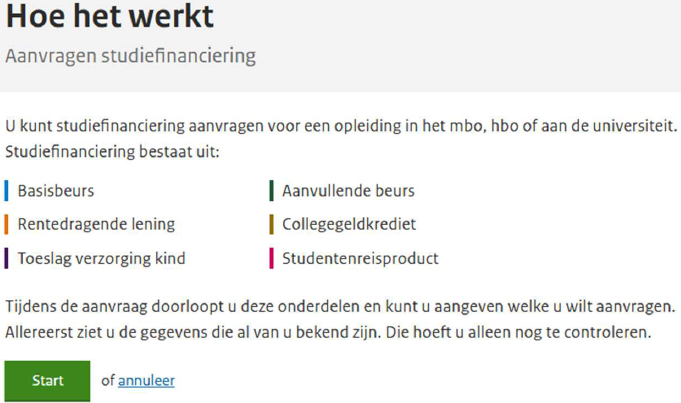
Below, we will explain exactly how to apply for a tuition fee loan. This example concerns a student who applies for the full student grant and wants to be eligible for an increased tuition fee loan per 1 August.
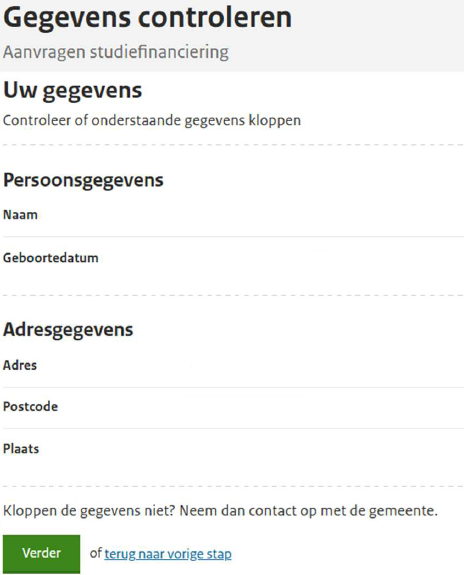
Step 1: Check your details
Step 2a: Tio programme unkown
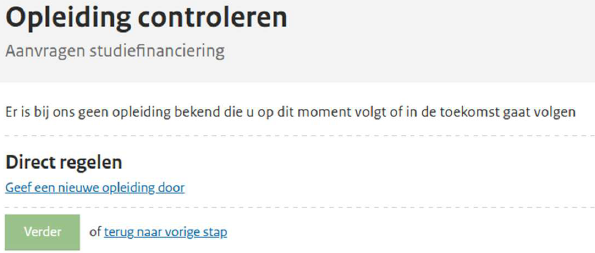
- If your registration appears in the Register/ROD, you will be given the option to check your Tio programme. You will then no longer need to enter your Tio programme yourself. If your Tio programme is not listed, please follow the steps below:
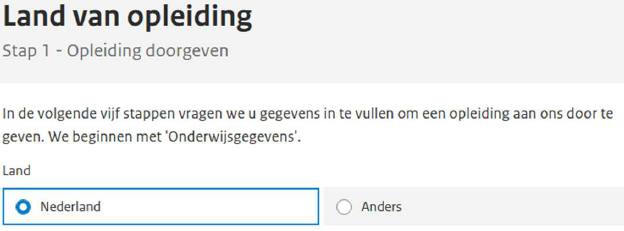
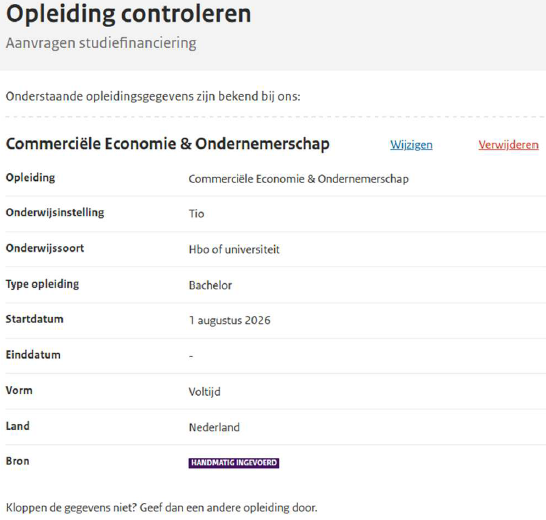
- In which country will you be studying? Select ‘Nederland’ here.
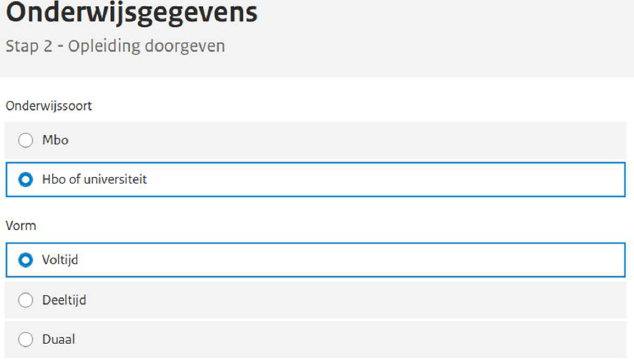
- Under Onderwijssoort select 'Hbo of universiteit'. And under ‘Vorm’, select 'Voltijd (=Full-time) or ‘Deeltijd (=Part-time). Our bachelor’s programmes are offered as full-time programmes. Only the MBA is available as both a full-time and a part-time programme.
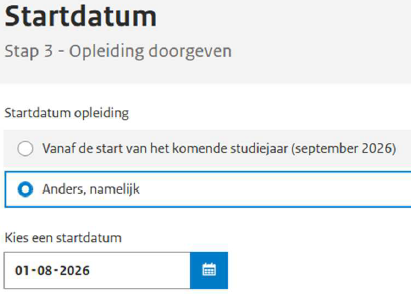
On the next screen, you will need to specify which type of programme (level) you will be enrolled in: Associate degree, Bachelor’s degree or Postgraduate Master’s degree (=MBA). - Always adjust the start date! For students starting in mid-August, this is 1 August, and for students starting in January, it is 1 January.
- Check the details:
Step 2b: Tio programme known
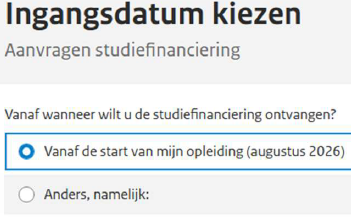
- The start date shown here has been submitted by Tio to DUO. You should therefore always select the top option:
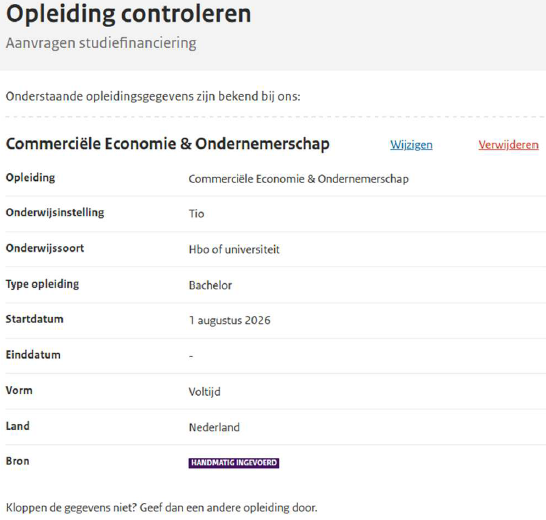
- Check the details:
Step 3: Components of student finance
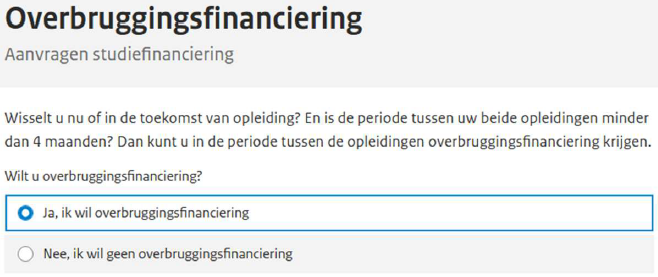
- Select ‘Yes’ if the following applies to you:
- Will you carry on living at home or are you going to move into student accommodation?
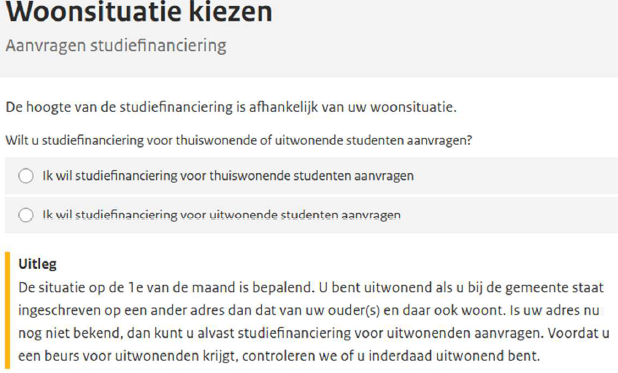
- You are now going to apply for the various components of student finance:
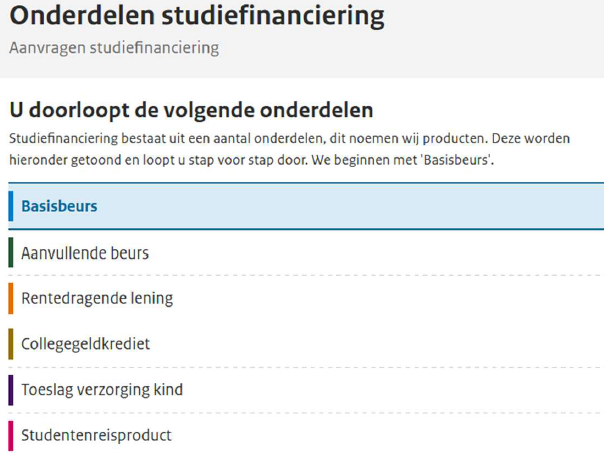
- Basic grant
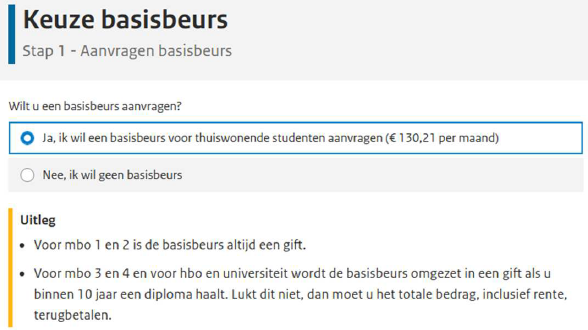
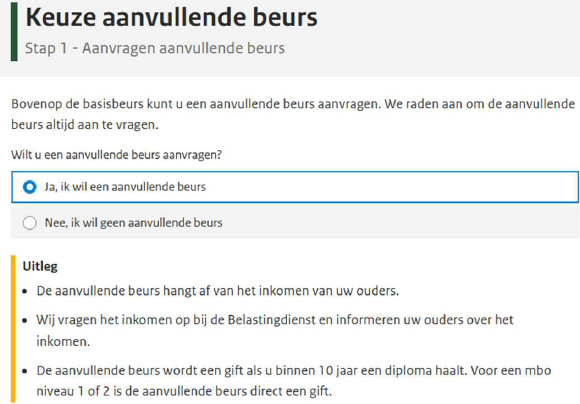
- Supplementary grant, you should also check the parents’ details.
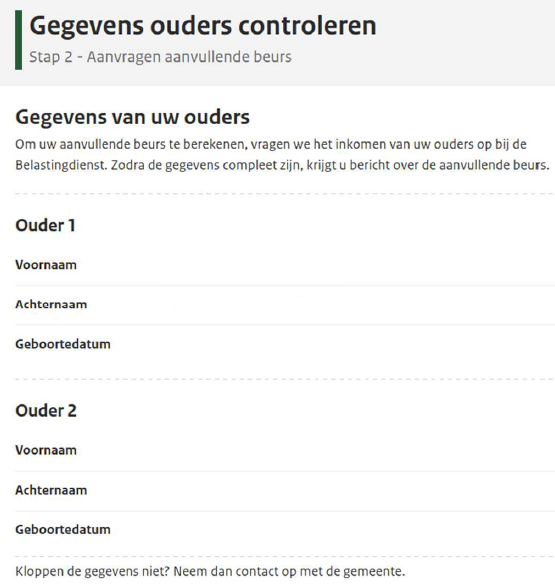
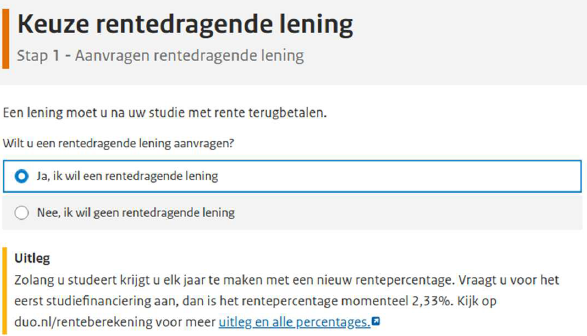
- Interest-bearing loan
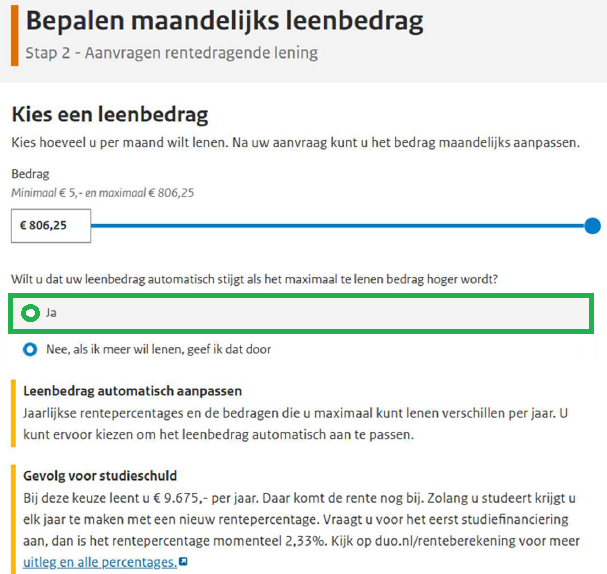
- Select the option to have the loan amount increase automatically if the maximum loan amount rises (=yes):
- As you are paying institutional tuition fees, you should enter the Tio tuition fees under ‘Amount to be paid’. Only then will you may receive the increased tuition fees loan.
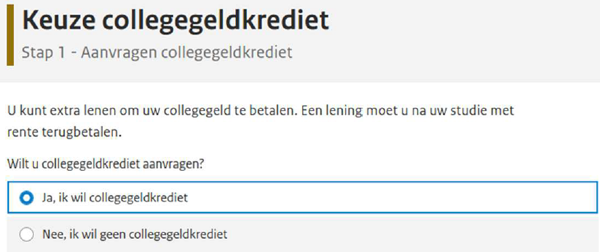
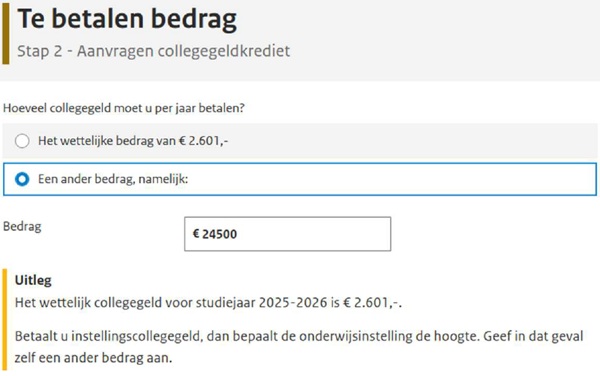
- Here too, select the option to have the loan amount increase automatically if the maximum loan amount rises (=yes):
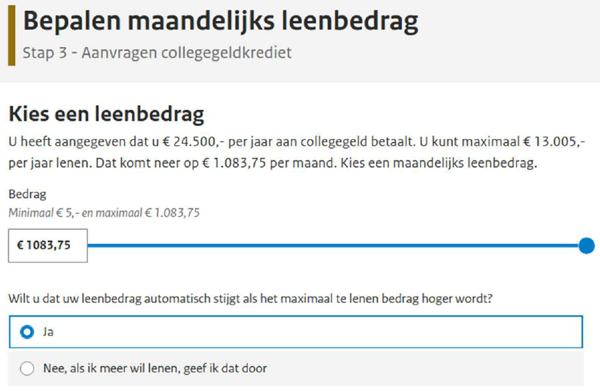
- To be awarded the increased tuition fees loan, you must upload supporting documentation. You can do this straight away or within 6 weeks of submitting your application.
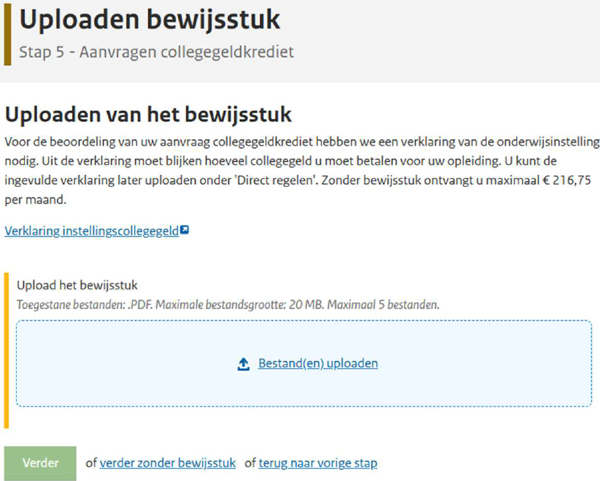
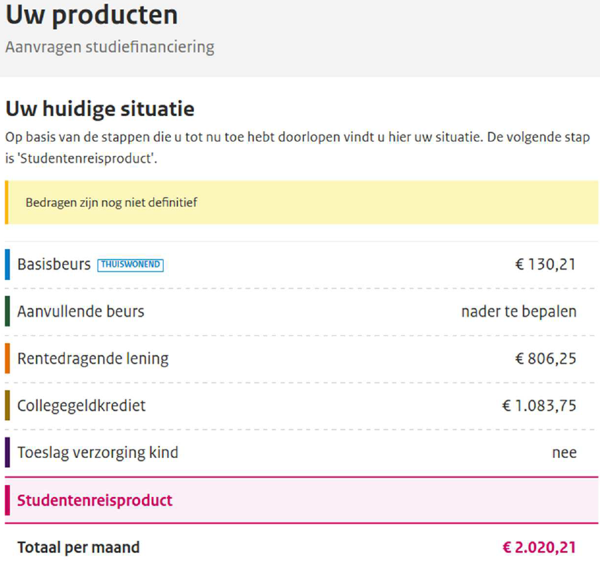
You can request this document, also known as the ‘tuition fee statement’, using your Tio email address via proofofregistration@tio.nl. This must be a blank email with no subject line. The tuition fee statement will then be sent automatically to your Tio email address within 5 minutes. You must still enter your BSN number on this statement; otherwise, it will not be valid. You can then upload it via ‘My DUO’ to be eligible for the increased tuition fees loandit. - You can now see a overview of the products you have applied for. If the calculation of the supplementary grant results in a surplus, this will reduce the interest-bearing loan, not the total amount. The amount in the example below is fictitious.
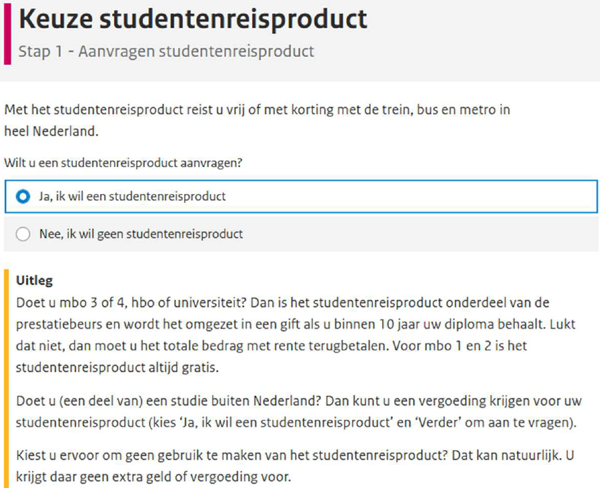
Step 4: Student travel product
- Apply for the student travel product here:
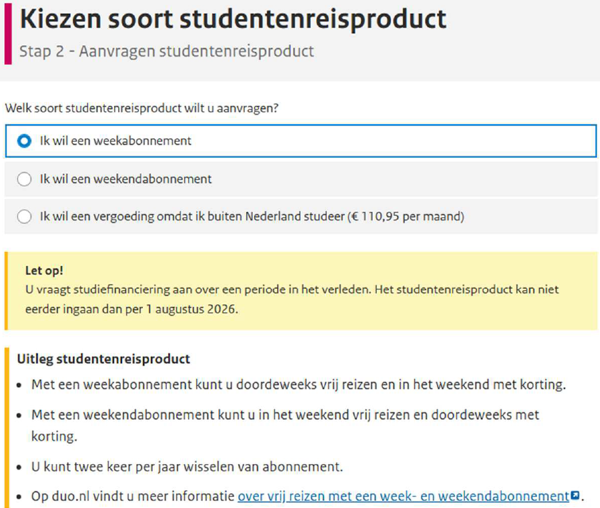
- Choose your subscription:
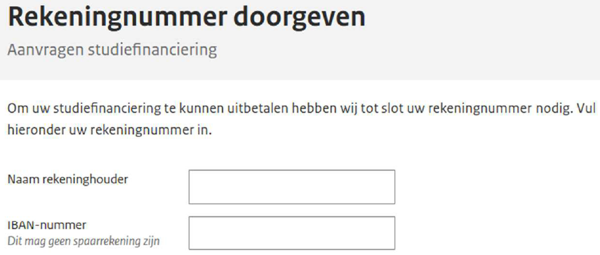
Step 5: Provide your bank account number
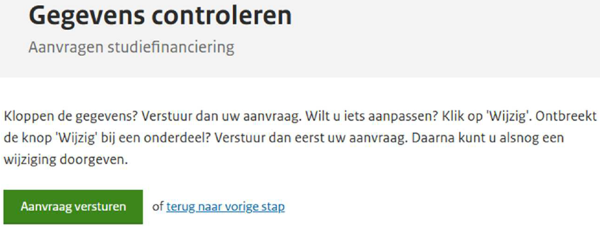
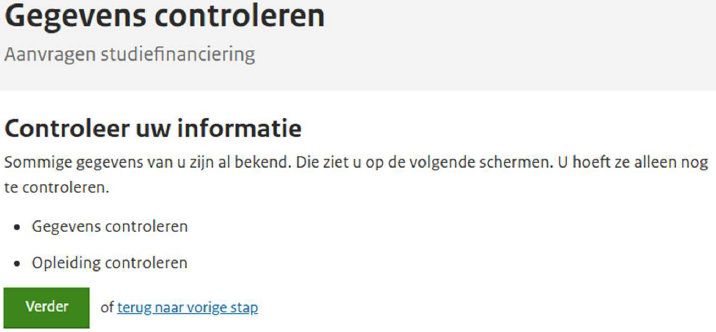
Step 6: Check your details